

How To Boost FPS in Fortnite
by letsrespawn
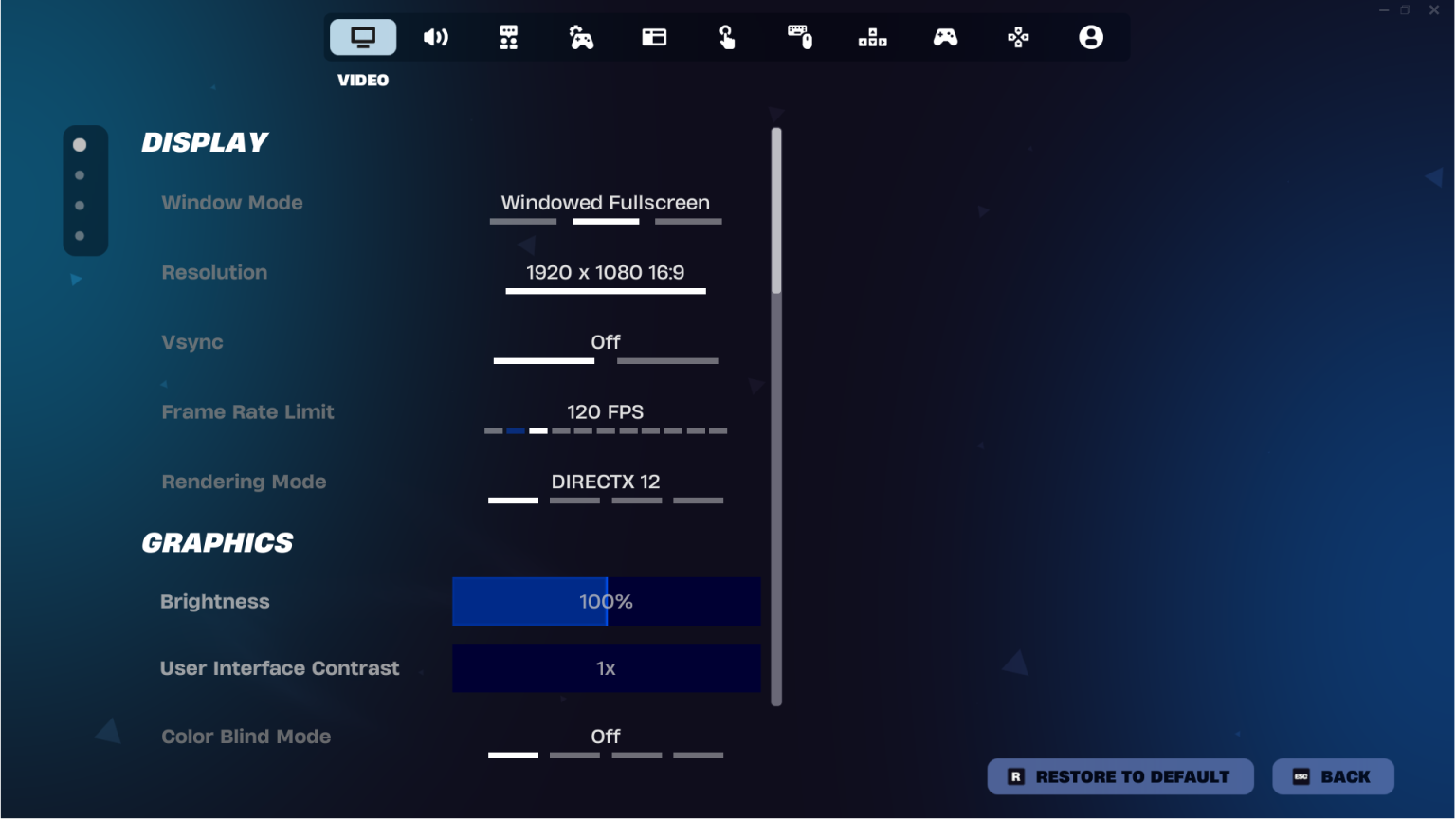

When it comes to Fortnite, having decent FPS is a must if you want take the game seriously. The last thing you want to do when your in the final circle is only have 30 frames. In this article I will be showing 3 ways you can boost your FPS in Fortnite very easily.
Method #1 – Enable Performance Mode
If you’re truly trying to get competitive at Fortnite, then graphics are the least of your concerns, obviously it is nice to be able to see your flash skins in 1080p 60FPS, but that is the last thing you need to worry about if your averaging only 40 frames. Which brings us to the first and easiest step of enabling performance mode.
To get started head to your Fortnite settings page and click on Video Settings.
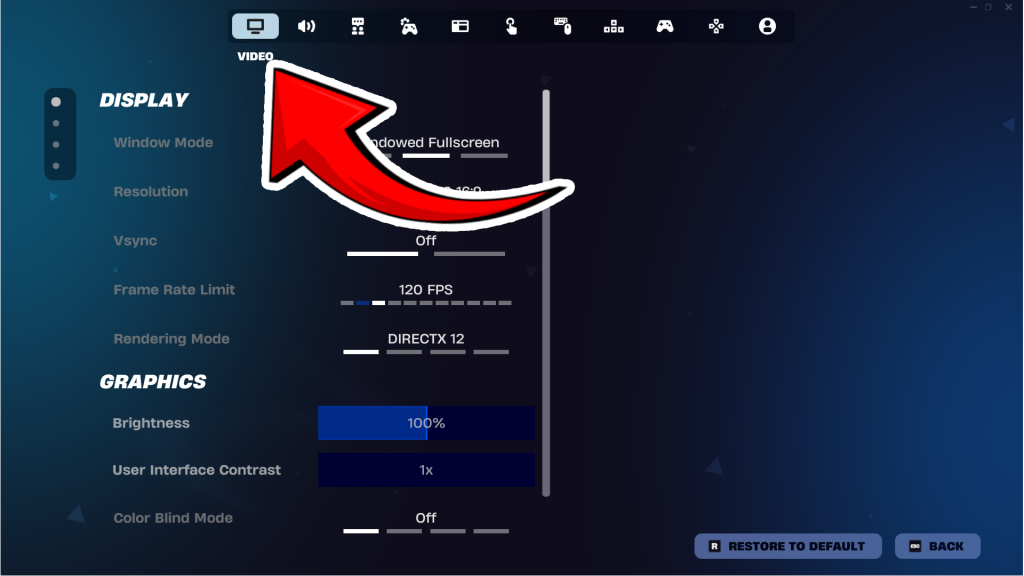

Setting rendering mode to performance will disable most rendering features to reduce memory usage and reduce CPU & GPU usage, thus boosting your framerate.

The next setting you want to disable is Vsync. When Vsync is enable, it will sync your framerate to your monitors refresh rate. So if you only have a 60hz monitor, your game will only load 60 FPS max with Vsync on.

The next setting you want to adjust is Quality Presets. This will automatically set every graphic quality to though lowest option thus increasing your framerate. I recommend you play around with this setting to determine what looks the best while still increasing your framerate.

One setting you can leave high is the View Distance as this does not affect your frames as much as you’d think, plus being able to enemies from as far as possible is definitely recommended in a competitive environment.
By following just this first method, you can expect to receive a 20+-50+ FPS boost.
Method #2 – Enable DLSS / TSR
Now this next step is going to vary based on the GPU that is installed in your computer.
If you have an NVIDIA RTX graphics card:
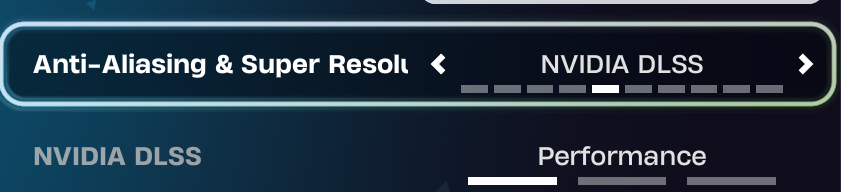
NVIDIA DLSS is an AI powered rendering technology that boosts frame rates and improves image quality in games using RTX Tensor Cores. It will essentially render your game at a lower resolution, then upscale them using AI without sacrificing visual quality while increasing your FPS due to a lower load on your graphics card.
If you have an AMD/Intel graphics card:
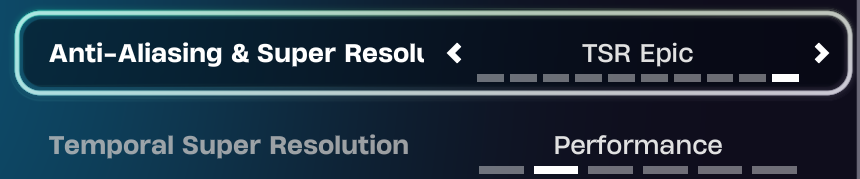
TSR does the same thing as DLSS but supports more modern graphics cards. Enabling this can increase GPU performance up to 50% while increasing the graphics quality.
Ultimately these settings will reduce the load on your graphics card while keeping the game looking good and increasing your FPS.
Method #3 – Windows Settings
If your playing on something other than Windows, sorry I don’t have access to another PC. The first thing you need to do is go to your search bar and type in “Optimize device power performance and power savings” then click it.
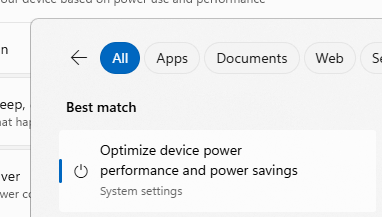
After you’ve clicked it, find the power mode and set it to best performance. Make sure your PC is plugged in when you enable this setting.

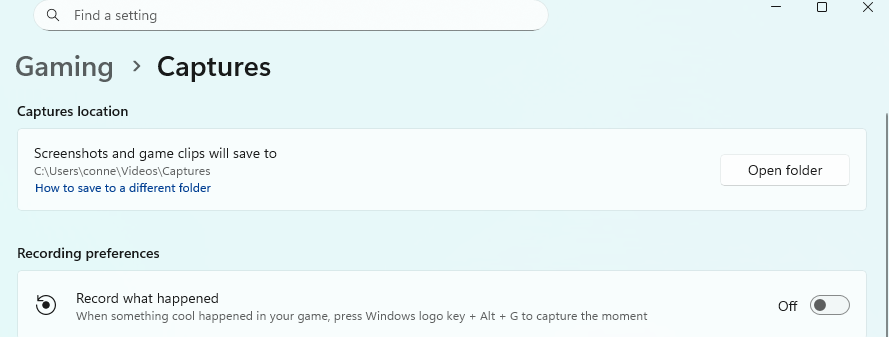
Another thing we can do is disable the Xbox background recording by going to Gaming -> Captures and disabling record what happened. This will take off load in the background while your playing Fortnite.
Overall these are 3 easy steps you can take to increase your Fortnite FPS. If this tutorial or guide helped leave a comment and stay tuned because we will have more settings you change to boost FPS in the future.
Recommended Articles
by letsrespawn
by letsrespawn
by letsrespawn
by letsrespawn

by letsrespawn

by letsrespawn

by letsrespawn

letsrespawn • Hi, I’m Conner the Founder and Admin of Lets Respawn. I have a passion for Gaming, specifically Block games. I created this website to showcase cool things the community does and keep everyone in the loop 🙂
Latest

by letsrespawn
by letsrespawn

by letsrespawn